
Quickly Shorten URLs on the Mac Menu Bar with Short Menu
Have you ever shared a long domain in an email, Tweet, or anywhere online? Of course, you know how long the URL can get with the full permalink structure and tracking information. However, there is an easy way to share professional and clean URLs online. I use the short domain leons.link for sharing long URLs in emails, Tweets, Facebook posts, and even within blog posts.
URL shortening became popular at the peak of Twitter when the character limit was 140 characters. At the time, usernames and domains all counted towards the character limit. After that, Bit.ly became popular, and URL shorteners were everywhere. Now, vanity domains for sharing links aren’t as needed but shortening the domain allows for more tracking and sharing professional links. In addition, it saves space and looks better than a long two-line domain.
I’ve bought the domain leons.link from Namecheap, but I also use inmc.fm for IronMic, dgb.st for Digiboost, and other short domains for side projects. The New York Times uses nyti.ms, YouTube uses youtu.be, Amazon uses amzn.to, and Github uses git.io. Some of the largest brands have their short domains that are branded, and you can have your own too. A few things you need to get your short domain:
- Buy a domain at Namecheap or another provider, but I recommend Namecheap.
- Setup a Bit.ly account. You can add your newly acquired domain to the service for no charge. In addition, they allow you to shorten up to 100 URLs for free each month.
- Get Short Menu on the Mac to quickly shorten URL in seconds!
Short Menu is the best Mac App
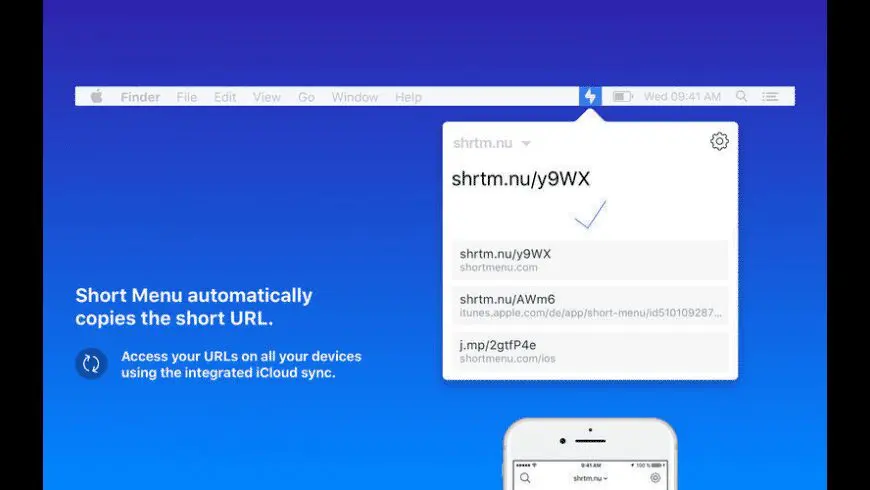
The short menu app lives in the menu bar and can automatically shorten a lengthy URL, or, like me, you can shorten a URL when you want. You simply right-click the icon in the menu when you’ve copied a long URL, and the app will shorten it for you. The nice part is your ability to see the past three domains that were shortened.
The app is $5.99 on the Mac App Store, but it’s worth the money because you will quickly be able to shorten any URL for tracking purposes or to look professional.
I often use my short domains on Twitter and within emails. I sometimes check the status within Bit.ly, but I share a short link more often than not because I want to look professional.