
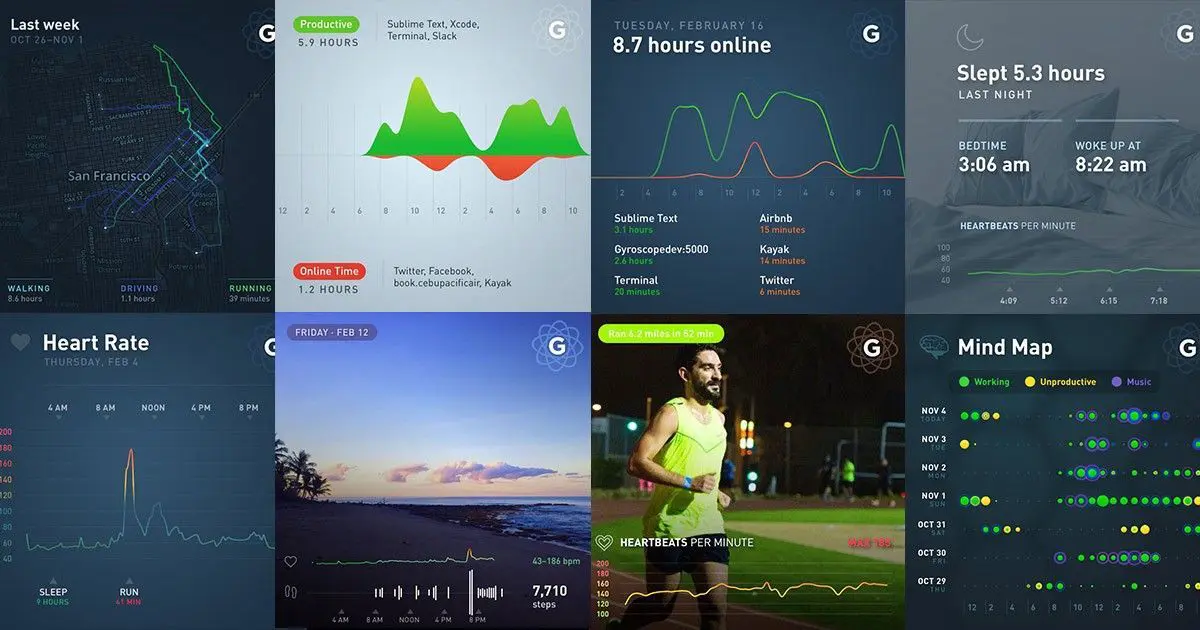
How & Why I Track my Life with the Gyroscope App
Everyday I track my steps, heart rate, location, app and computer usage, along with my mood. I use the app Gyroscope to track my location and my mood, but also to visualize all the data in one dashboard. I also use apps like:
- Rescue Time for time tracking on my Mac and iPhone
- Apple Watch (Isn’t an app but still) to track my steps and heart rate
- Water iOS app to track my water intake
- LastFM to track what music I am listening to from Spotify
I track most of my life for two reasons. One I like to look back and see what I was doing a year ago or how I was working. The second part is I like to look at how productive or see how I’ve been eating. This allows me to see if I am staying on track with my health or if I need to push myself in a different direction.
While tracking your whole life isn’t for everyone, it is a way to stay productive and keep up to date with what you are doing. Sometimes I don’t realize I was working all day and I only walked for 10 minutes the whole day. The app will push me to hit my step goal or tell me to be more productive or remind me to meditate.
The Gyroscope app is free to use but I pay for the pro-membership which is only $60 a year! It is helpful with my day to day life and continues to provide value to me. I have friends and family on the app, which lets me compare how I am doing to them.
If you wonder if you had a productive week, or if you need to walk more, or if you need drink more water, or if you want to become a better you – the app is a must download. Once you’ve setup all the tracking apps, you won’t have very much to do every day to track your day. I input when I drink water and how I am feeling, but otherwise, everything is gathering data in the background. I know this seems like a privacy concern but think about it. Every app is collecting massive amounts of data on you, some very similar to what I track, but they’re making money off that data. Use the data for your own good to make better and informed decisions on what to change or improve on in your life.