
Make Gmail Beautiful with a Chrome Extension

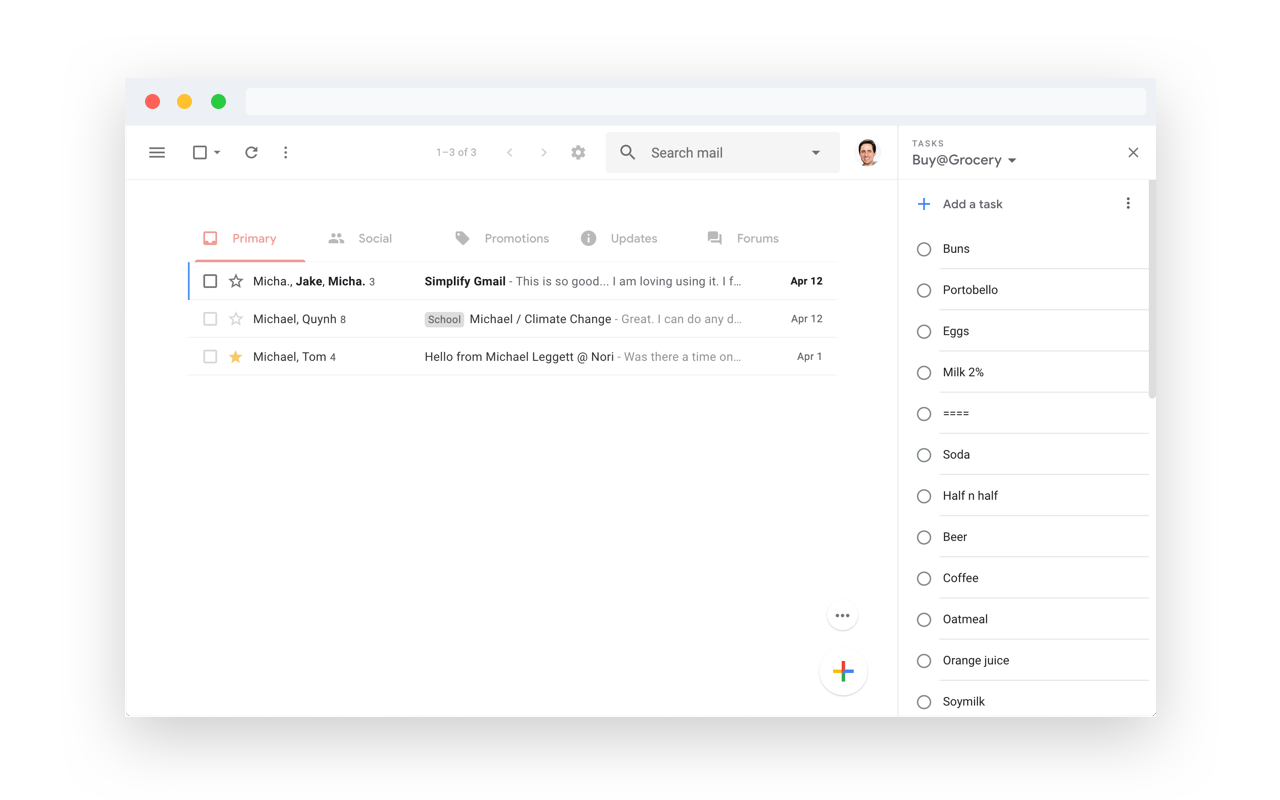
If you’re a Gmail user who’s frustrated with the cluttered interface, I have a simple and free tool for you.  It’s a free Chrome extension, aptly named Simplify. The extension removes all the visual clutter within Gmail, including the sidebar and excess sidebars. It makes the Gmail experience you crave and wish Google would have made in the first place.

Simplify was made by Michael Leggett who was the lead designer for Gmail from 2008 to 2012. It is safe to say he knows what he is doing. The extension is safe using CSS and a little Javascript. It never sends data back or shares information with anyone.

I’m glad you asked. You should always be super careful what extensions or apps you use with your email. Simplify is mostly some CSS plus a little Javascript to apply the CSS. There are no trackers. No data is sent or shared. No ads ever. Promise. And all the code can be inspected on Github.

Need a Google Drive version of this extension

You can download the extension from the Chrome store for free. I am hoping the next extension Micheal makes is one to declutter Google Drive. I want Drive more focused on the files and less about everything else going on with the interface. I am thinking Dropbox but slightly more minimal.

Screenshots of Simplify

Similar Posts

  • IronMic Demo with Casey Neistat Website Set Up

    I set up Casey Neistat’s podcast couple’s therapy with an automated podcast website from www.ironmic.fm. If you didn’t know, I co-founded IronMic with my two friends and business partners. The idea is to help podcasters to focus on their content and not have to worry about building a website that needs a professional or needs…

  • 2020 Look Back & Review

    I don’t think anyone could’ve predicted what would happen over 2020. I wrote in the 2019 recap that “I didn’t want to set any lofty goals.” Best choice ever! Instead of doing the standard recap, goal setting, and resolution for 2021, I am adopting Yearly Themes. I first discovered Yearly Themes from the Cortex podcast….

  • 2023 Annual Review

    I do a version of these annual reviews each year: I treat these reviews and look-backs as reflections and less as setting “New Year” resolutions. I know if I set any expectations, I won’t follow through. Instead, I put goals together and a plan of action. This helps me get the right mindset and know…

  • Take More Professional Screenshots in Seconds with Screely

    I’m always sharing screenshots! They’re often quick screenshots of a graph on Google Analytics or something on a web page that I want to share with a friend or client. They’re not pretty or appealing. Now, not all screenshots have to be special. Sometimes though, I want to make something I share pop. I’ve tried…