What’s In My Bag (Gadgets & Apps), 2022 Edition
I love gadgets. I started out tech blogging – attending CES, SXSW, and other Tech launches. I was inspired by others who do “what’s in my bag” on YouTube to do one of my own. I am combining the gadgets with software, much like Matt Mullenweg.
This list includes personal apps and gadgets. I may put together a list of apps and gadgets I use for work. Here’s the meaty content:
Gadgets & Gear
BackPack: Patagonia Arbor Lid Pack 28L – a light top-loading backpack with a slot for a MacBook. It’s Patagonia which makes amazing quality clothes and gear, plus they are a great company to support.
Gaming PC: iBuyPower Slate Gaming PC – heavy-duty PC with a Core i7, Nvidia RTX-3060, 16GB of RAM, 480GB SSD, with built-in Wifi and Bluetooth. I mainly play Fortnite and more recently Battlefield 2042.
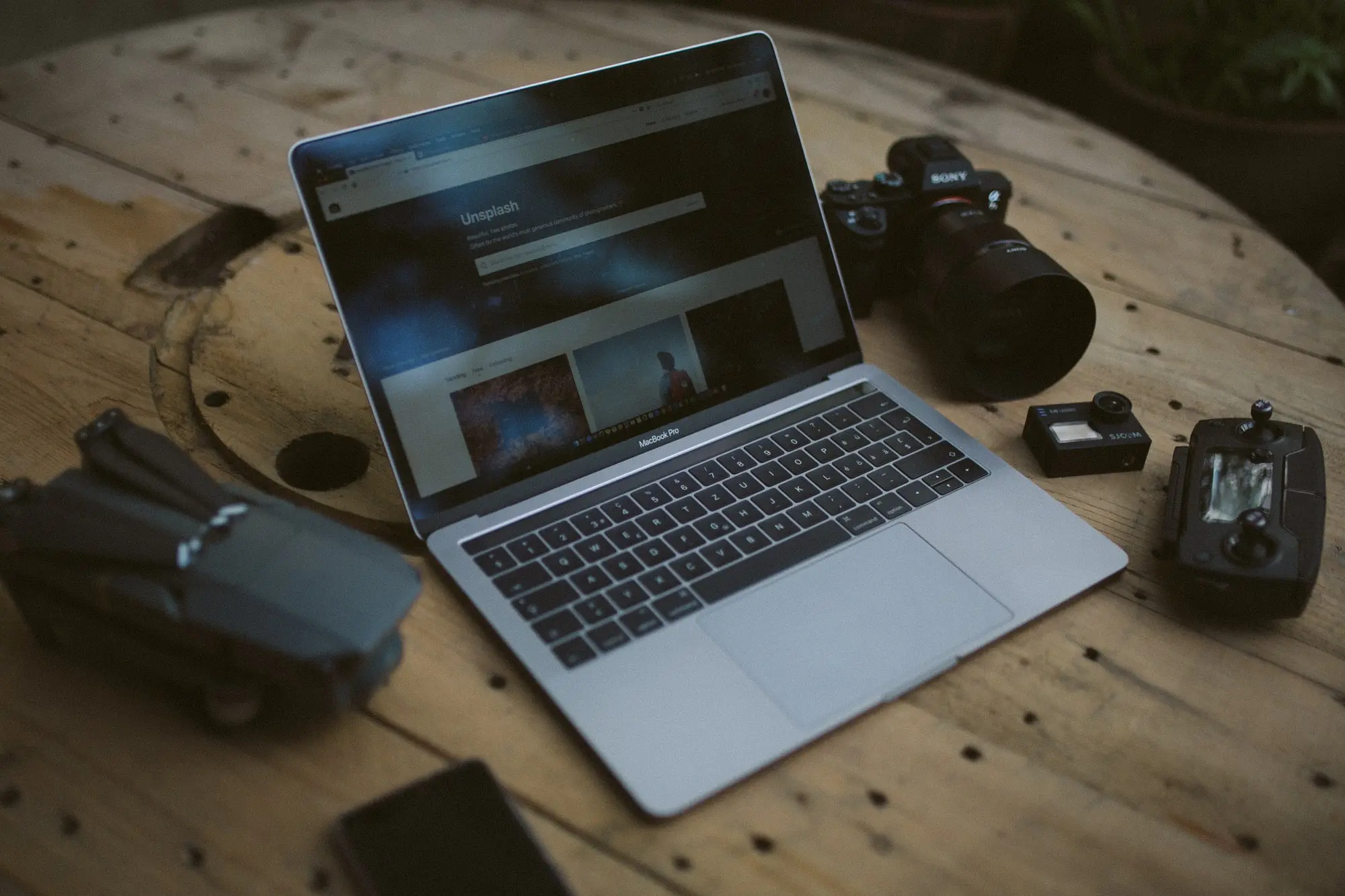
Laptop: Macbook Pro 14-inch – this doubles as multiple devices. I use it for both work and side-projects. 2021 Macbook Pro with Apple M1 Pro with 16GM RAM and 1TB SSD.
Webcam: Logitech Brio 4K Webcam – a 4k webcam that comes with some of the best software around. It’s great for the zoom era of remote work.
Fitness Tracking: Oura Ring – the ring offers advanced sleep tracking along with workout tracking. It’s more subtle than an Apple Watch, plus it doesn’t have a screen.
Phone: iPhone 12 – solid camera, solid phone, and overall lives in my hand every minute of the day.
Headphones: AirPods Pro – the best everyday use headphones. They stay in my ears throughout the day. The best feature is the ability to switch between a Macbook and an iPhone.
Noise Canceling Headphones: QC35s – noise canceling over the ear headphones. I haven’t upgraded to the QC45s yet but its something I am eyeing the other pair is roughly 5 years old now.
Car: Tesla Model 3 – I added my car because I consider it a big gadget. The Tesla Model 3 is the Standard Range+. The car is equipped with FSD (Full Self Driving) and I have the 10.8 FSD Beta for city streets.
Mouse: MX Master 3 – professional mouse with an ergonomic design and extra buttons. The software lets you map the buttons and functions for each app online and offline.
Dog tracker: Fi Dog Collar – handy-dandy smart dog collar with GPS built-in. My dogs have escaped a couple of times because of an open gate or broken board. This helps to know when they attempt to escape.
Wifi: Eero Pro Router – the most important piece of the setup is the Wifi. The Eero Pro Router supports Wifi 6 with speeds up to 1gbps. The app is above none and the Eero always looks great in the house.
Drone: DJI Mavic Mini – a small drone perfect for joy flying and taking photos or videos. I used it to get some great shots of my Tesla.
Apps & Software
Music: Spotify – It’s the default app for music listening to these days. I use it in the Tesla since it’s built straight into the call.
Podcasts: Spotify & Overcast – I use Spotify for some podcast listening when I am in the car. Other times, Overcast is the go-to podcast app since its indie-built and supports the open podcast ecosystem.
Relaxing: Endel – personalized soundscapes generated from your health data and backed by science. I use it while I am writing and working on important work that needs focus.
Crypto: Coinbase & Kraken – Coinbase is the best exchange online, but the fees are high and they don’t support a lot of alt-coins. Kraken on the flip side is a low fee exchange and they support a lot more protocols and alt-coins.
Investing: Robinhood – even with all the drama around AMC trading, I still use Robinhood for investing. I love their instant deposits and overall the app is easy to use.
Email: Superhuman – a fast and efficient email client built around Gmail. Simple design with the goal of getting you to inbox zero. It’s $30 a month but well worth the investment.
Calendar: Fantastical – calendar app built for iOS and MacOS. Sync’s multiple calendars – I have 4 of them for work and side projects. It syncs tasks, offers time zone details, and other neat features to help manage my day.
Screen Recording: Cleanshot – cleanshot offers screenshots, screen recording, and more advanced features. It’s a one-time fee to buy the app, then a yearly subscription for the online features and storage.
Passwords: 1Password – password management with an app that’s simple, clean design, and works across all devices. Security is top-notch and they’ve never had any breaches before.